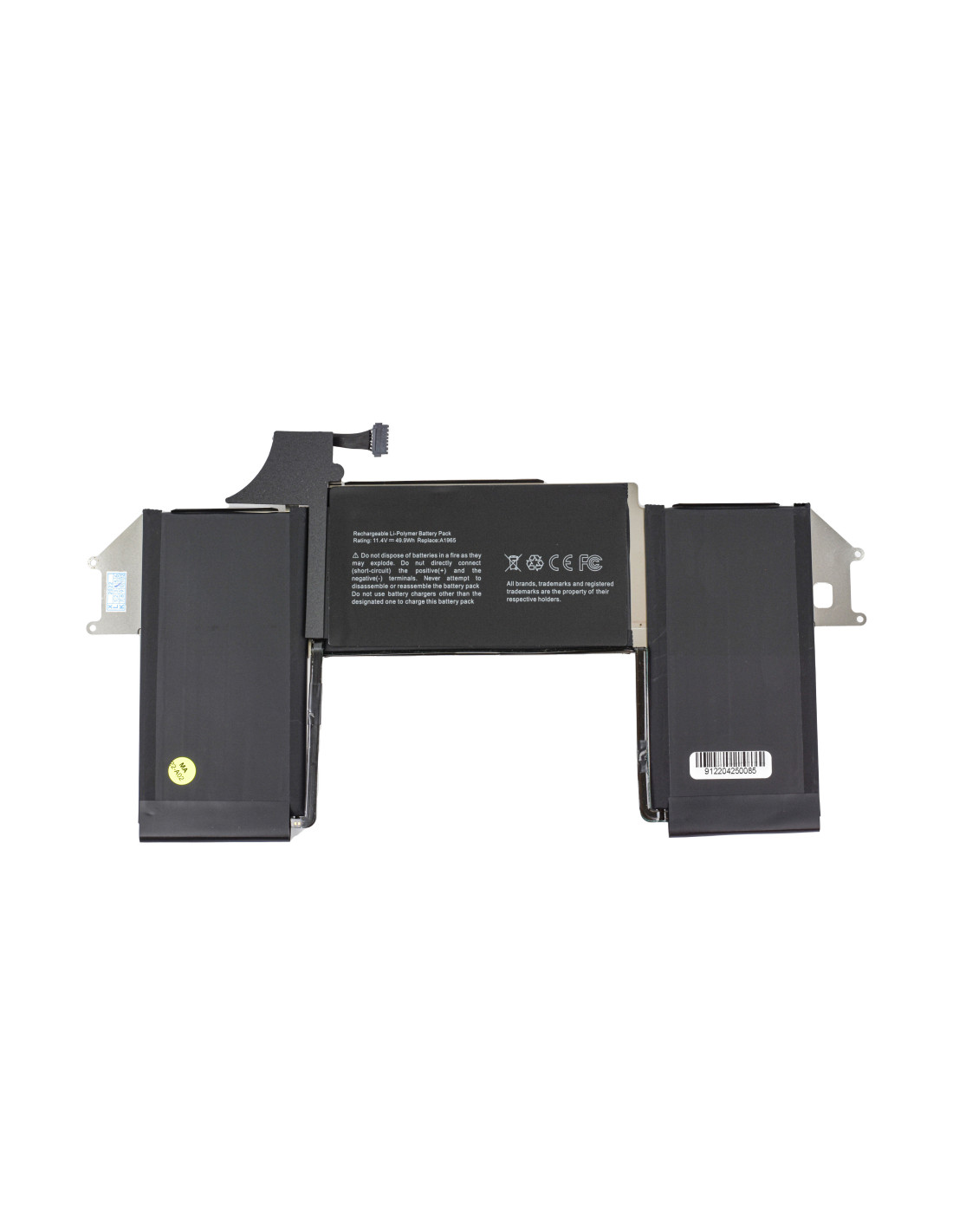

The MacBook A1965 - OEM Quality is your go-to solution for restoring the original power and efficiency of compatible MacBook models. Specifically designed for 13-inch MacBook Air from 2018 to 2020, this battery is crucial for anyone dealing with faulty power issues or battery life. With a capacity of 4379 mAh, you can expect durability and an extended charge cycle, bringing back the seamless you expect from your MacBook.
This battery model ensures compatibility and reliability, reflecting OEM standards for quality and performance. For working in repair shops or refurbishing environments, this battery provides an exceptional option for device restoration, ensuring customer satisfaction and reducing return rates. is straightforward, making it a practical choice for professionals.
Specifications for the A1965 battery include a voltage of 11.4V and a power rating of .3Wh, providing a stable and consistent power supply. This energy-efficient design is key for maintaining productivity and ensuring that your device handle daily demands without frequent recharges. This reliability makes it a favored option for high-volume, environment-conscious refurbishing operations.
2>Choosing MacBook Battery A1965 For LongevityWhen selecting the right battery for your MacBook the importance of OEM quality cannot be overstated. The A1965 battery provides exceptional longevity with over 500 charge cycles, making it environmentally friendly choice that supports sustainable electronics practices. Additionally, this battery is designed for repeat cycles, allowing you to get the most out of your without frequent replacements.
Repair shops and refurbishing companies can benefit from its ease of use and efficiency, reducing downtime for and boosting customer satisfaction with quick turnaround times. Meeting Apple’s original specifications, the A1965 boosts your device's lifespan and maintains reliability an essential factor for professionals demanding consistent quality.
You might also like